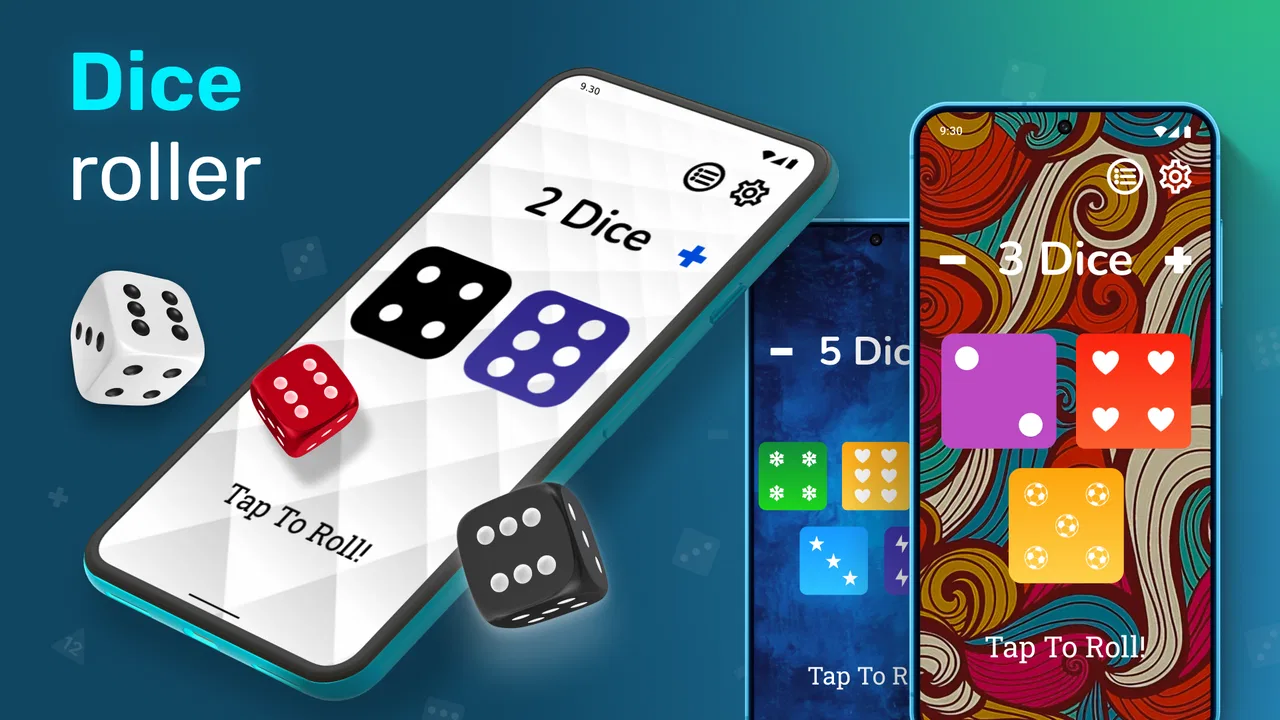
Dice Roller: Shake & Roll Dice
- 4.3
- Rating
- 1.00M
- Installs
- Free
- Price

 Analysis by App-foxy
I like dice apps that get out of the way. When I need a quick roll for a board game, a classroom activity, a probability exercise, or a decision between two options, I do not want a complicated setup screen or a long tutorial. Dice Roller: Shake & Roll Dice takes that straightforward approach. It is a free board game for Android from Pipi Chick Studio, built around the simple job of rolling multiple dice quickly.
That simplicity is the main reason to consider it, but it also explains its limits. This is not a replacement for a full digital board game, a tabletop campaign manager, or a specialized probability tool. I see it more as a handy pocket dice cup: open it, make a roll, look at the result, and continue with whatever you were already doing.
What makes the first use easy, and where it can feel unclear
The first thing I would tell a friend is to approach this as a utility rather than a game with a long progression system. The store short description calls it “Dice Roller,” and that is a fair description of its role. Its appeal comes from immediate access to dice, not from unlocking content or learning a complicated ruleset.
You May Also Like

 Blood Strike: 2.5 Anniversary
Blood Strike’s Loadouts Turn Every Drop Into a Tactical Gamble
A close look at Blood Strike’s custom loadouts: how fast access to signature weapons reshapes its battle royale rhythm, rewards preparation, and narrows the gap between fights.

 Pandora - Music & Podcasts
Pandora’s Music Is Easy to Start, but Harder to Recover
Pandora’s strength is its low-effort path from a seed to a station. Its weak spot is how much confidence it asks you to place in connection, setup, and quiet recovery.

 8 Ball Pool
 Is Built on Rivalries, Rematches, and Routine
A close look at the rivalries, rematches, shared routines, and unanswered safety questions that turn a quick pool match into a persistent mobile community.

 Samsung Music
’s Quiet Strength Is Playing What You Already Own
Its reach comes less from spectacle than from dependable access to a personal library. That simplicity is both the app’s strongest retention engine and its ceiling.

 AccuWeather: Weather Radar
AccuWeather Review: A Quick, Clear Forecast for Everyday Decisions
For everyday plans, the best forecast is the one you can understand quickly. AccuWeather makes rain timing, radar, and local conditions easy to act on, with a few trade-offs.

 Hill Climb Racing
Why Hill Climb Racing Still Turns Crashes Into One More Run
A tiny car, a bumpy hill and one more upgrade: Hill Climb Racing keeps resurfacing because its simple chaos makes every near-miss feel personal.
More From Our News Desk



That distinction matters because users can get stuck when they expect a broader board-game experience. If you are looking for a digital version of a particular tabletop title, this app is unlikely to replace it. You still need to know the rules of the game you are playing, decide how many dice your situation requires, and interpret the roll yourself.
For casual use, I find that a small routine prevents most confusion. I decide the number of dice before touching the app, open the roller, make one deliberate roll, and then read the result before repeating anything. That sounds obvious, but it avoids a common mistake with quick dice tools: tapping repeatedly because the first result was missed, then no longer knowing which roll belongs to the current turn.
The app is especially practical when physical dice are unavailable, when a table is too crowded for several sets, or when players want a neutral roller that everyone can see. It also works well for simple random choices. For example, if my family is choosing who starts a board game, I can assign each person a number and use the roll without searching for a separate randomizer.
There is a useful trade-off here. A physical die gives a familiar tactile action and is easy to understand at a glance. A phone-based roller is more convenient when dice have gone missing, but it places the result behind a screen and introduces the possibility of accidental taps, notifications, or a low battery interrupting the moment.
Checking the basics before blaming the roller
Before using it during a game night, I would check that the phone meets the basic software requirement. Dice Roller: Shake & Roll Dice supports Android 6.0 and later, so an older device may be the first point to investigate if installation or launching becomes a problem. The current version is 3.1.1, which is useful to note when comparing what appears on different phones.
I would also install it before the group is waiting for a result. That gives me time to open it, identify the roll control, and confirm that the display is readable in the room where I plan to use it. A quick test roll is more useful than discovering during a turn that the phone is locked, muted, or being used by another app.
The game is free to install, which makes that test easy. It includes in-app purchases ranging from $0.99 to $99.99 per item, so I would still pay attention to any purchase prompt rather than tapping through automatically. For a basic dice-rolling task, I would treat optional spending as something to review carefully, not as a requirement for deciding whether the core utility suits me.
Its Everyone content rating also makes it a comfortable choice for mixed-age settings. I could hand it to a child who already understands the board game rules, or use it with grandparents who may prefer a large, simple result over a more elaborate gaming interface. The rating does not mean every user will find the controls equally obvious, so a short explanation is still worthwhile.
One practical setup check is deciding who holds the phone. In a competitive game, I prefer one person to operate the roller while everyone watches. That reduces arguments about whether someone tapped twice and keeps the app from becoming a private result generator. In a family setting, rotating the operator each round can make the phone feel like a shared accessory instead of belonging to one player.
Recovering a workflow when a roll goes wrong
A mistake with a dice roller is usually less about the random result and more about losing track of the turn. If I tap too quickly, roll before the other players are ready, or forget the previous total, I stop and agree with the group on what counts as the valid roll. I do not keep tapping in the hope that the next result will clarify the first one.
For a board game, the safest recovery is simple: return to the last clearly recognized game state, announce that the roll is being repeated, and let everyone see the new result. That approach does not depend on hidden history or a complicated recovery feature. It also keeps the app from deciding a rules dispute that should be settled by the players.
When using multiple dice, I recommend saying the individual values aloud before adding them. If the screen shows several results, reading them one by one gives the table a shared record and lowers the chance of confusing a die with another tap. For games where only the total matters, a player can repeat the sum back to the group before moving a piece.
This is one of the app’s less obvious strengths: it can make a roll visible to everyone without requiring a full digital game board. The phone becomes a neutral surface for the random action, while the physical board, cards, and tokens remain on the table. That hybrid setup is often better than forcing an entire tabletop game into an app.
It is also where I notice the main limitation of a lightweight roller. If your group needs a permanent record of every roll, automatic totals, special dice symbols, or a detailed turn history, a dedicated tabletop companion may be a better fit. A simple roller keeps the action fast, but it leaves more responsibility with the players.
When the phone, not the app, is the weak link
Not every failed roll points to a problem in the application. If the phone is slow, nearly out of storage, overheating, or busy with several background tasks, launching and responding can feel less immediate. I would first close unrelated apps, unlock the screen fully, and try one controlled interaction before deciding that the roller is unreliable.
Screen visibility can matter more than expected. In bright light, a result may be harder to read, while in a dark room a very bright display can distract from the board. Moving the phone closer to the center of the table or having the operator announce the values solves that problem without changing the game itself.
Accidental interaction is another everyday issue. A phone placed beside cards or tokens can receive an unintended tap when someone reaches across the table. I prefer putting it in a clear spot, face up, and only picking it up when the table is ready. This is a small habit, but it makes a shared roller feel much more trustworthy.
If the app does not install, I would verify the Android version first, then check available storage and the normal app-store connection. If it installs but does not open properly, restarting the phone and trying again is a sensible first step. If the display appears stuck during a game, I would avoid repeatedly tapping and instead preserve the last agreed result before restarting anything.
These are ordinary troubleshooting steps, but they matter because dice rolls are often time-sensitive. The app is being used in the middle of another activity, not as the main event. A good setup keeps the roller from becoming the center of attention.
Everyday situations where it earns its place
My favorite use case is a board game night where one or two physical dice have disappeared. Rather than pause the game to search under furniture, I can use the phone for the missing roll and keep the rest of the game physical. This works particularly well when the rules call for several dice and the group wants a quick result without passing a tiny die around.
It is also useful for teaching. A parent or teacher can ask a child to predict whether a roll will be high or low, then compare the prediction with the result. The app does not need to provide a lesson plan; its value is that it supplies a quick random event while the adult handles the explanation. For a probability exercise, I would keep a notebook or whiteboard nearby because the roller itself is not a substitute for recording observations.
Role-playing groups can use it for ordinary numbered dice situations when they do not have enough physical dice at hand. I would be more cautious if a particular game depends on unusual dice shapes, custom symbols, or a visible long-term roll log. In those cases, a specialized companion designed for that ruleset will usually reduce manual work.
Outside games, I can imagine using it for a simple fair choice: deciding which of several chores comes first, selecting a starting player, or giving each option a number. The important rule is to agree on the mapping before rolling. Otherwise, the random result may be clear while the decision process remains ambiguous.
Because it is free to install and rated for Everyone, it is easy to keep available for occasional use. The audience size also suggests that it has found a broad casual market: it has passed one million installs and carries an average rating of 4.3 from around four and a half thousand ratings. I read that as evidence of practical appeal, not proof that every player will prefer it to physical dice or a richer alternative.
How it compares with physical dice and fuller alternatives
Physical dice remain better when the feel of rolling is part of the fun. They do not need charging, they work with any tabletop rules, and everyone can see the action without relying on a screen. They can also be faster when already sitting on the table. I would choose them for a regular group that owns the right sets and enjoys the tactile ritual.
A phone roller wins on convenience and space. It is useful when traveling, when a set is incomplete, or when several dice are needed but only a few are available. It also avoids the problem of a die bouncing under a cabinet. For a spontaneous decision, opening a familiar app can be quicker than finding a physical set.
Compared with a general random-number app, a dice-focused tool is more natural for tabletop play because players can think in terms of dice rather than translating a number range. Compared with a full board-game app, it is far less demanding: there is no need to recreate a board, manage pieces, or teach a digital rules engine. That narrow focus is its advantage when all I need is a roll.
The downside is that the narrow focus may feel too narrow. If you want automatic scoring, character sheets, campaign notes, animated physics, or a record of previous turns, I would look elsewhere. Dice Roller: Shake & Roll Dice is best when the human players and the physical game remain in charge.
Who should use it, and who should skip it
I would recommend it to casual board-game players, families, teachers, travelers, and anyone who occasionally needs several dice without carrying them. It is also a sensible backup for a tabletop group that wants a quick solution when a die is lost or a set is incomplete.
I would skip it if the main attraction for me were the physical sensation of rolling, or if my regular games require specialized dice and detailed logging. I would also avoid making it the only plan for a tournament-style session where every roll must be independently documented. In that setting, physical dice or a purpose-built companion with a clear history may inspire more confidence.
Users who are careful about purchases should remember that free installation does not make every in-app option irrelevant. I would read each prompt, keep the basic use separate from optional extras, and avoid handing the phone to a child without supervision if purchase access is available on the device.
My practical verdict after using it as a shared tool
Dice Roller: Shake & Roll Dice succeeds because it understands a small need and addresses it directly. I can use it as a backup for a board game, a teaching aid, or a quick randomizer without turning the moment into a software project. Pipi Chick Studio has positioned it in the right part of the board-game category: useful between larger activities rather than trying to replace them.
My advice is to install it ahead of the event, test one roll, agree on who operates it, and announce results aloud when several dice are involved. Those habits solve more real-world friction than repeatedly searching for a more complicated tool.
The best reason to keep this app available is reliability of purpose, not a long list of features. When I need a fast digital dice cup, it is a convenient free option for Android 6.0 and later. When I need a complete tabletop system, specialized dice, or a permanent record, I would choose a different solution. For the right small job, though, its restraint is exactly what makes it useful.
FAQs for Dice Roller: Shake & Roll Dice
01What is Dice Roller: Shake & Roll Dice used for?
Dice Roller: Shake & Roll Dice is a virtual dice-rolling app designed for board games, tabletop role-playing sessions, classroom activities, and casual decisions. Instead of carrying physical dice, you can use your phone to generate rolls whenever needed. The shake-and-roll interaction makes it feel more natural, while the app is especially convenient when you need quick results or do not have a complete set of dice available.
02Which types of dice can I roll in Dice Roller: Shake & Roll Dice?
The app is intended to support common dice-rolling needs, including standard dice used in popular board and tabletop games. Depending on the version installed and the available settings, users may be able to choose different die sizes or quantities rather than being limited to a single six-sided die. Before downloading, check the current store description to confirm whether the specific polyhedral dice required for your game are included.
03Does Dice Roller: Shake & Roll Dice require an internet connection?
A basic dice roller normally performs its calculations directly on the device, so Dice Roller: Shake & Roll Dice should be useful even when you are offline. This makes it practical for trips, game nights, classrooms, or locations with poor connectivity. However, internet access may still be required for the initial download, updates, advertisements, analytics, or certain optional features, depending on the version and platform.
04Is Dice Roller: Shake & Roll Dice random and suitable for tabletop games?
The app is designed to produce randomized dice results for casual gaming and everyday decision-making. It can be a convenient substitute for physical dice during board games or role-playing sessions, particularly when several players need quick rolls. Nevertheless, users involved in competitive, tournament, or highly regulated play should review the game organizer’s rules first, since some groups may require physical dice or an approved digital roller.
05Is Dice Roller: Shake & Roll Dice free to download, and are there advertisements?
Dice Roller: Shake & Roll Dice may be available as a free download, but the exact business model can vary between Android and iOS and may change with future updates. Free versions can include advertisements, optional purchases, or limitations on advanced settings. It is worth checking the current store listing for pricing, in-app purchases, privacy details, and whether the app contains ads before installing it.
Pros
- Supports multiple dice types for board games and tabletop sessions.
- Shake-to-roll controls make rolling quick and engaging.
- Useful when physical dice are lost
- damaged
- or unavailable.
- Random results are easy to read at a glance.
- Convenient for solo play
- travel
- and online gaming groups.
Cons
- Shake controls may trigger accidental rolls on some devices.
- Results depend on your phone’s sensors and software.
- May feel too basic for users wanting advanced RPG tools.
- Ads or in-app limits may interrupt some rolling sessions.
- A phone battery is required
- unlike traditional dice.

Dice Roller: Shake & Roll Dice
Gallery